
Which CPU does an RTX 5090 need?
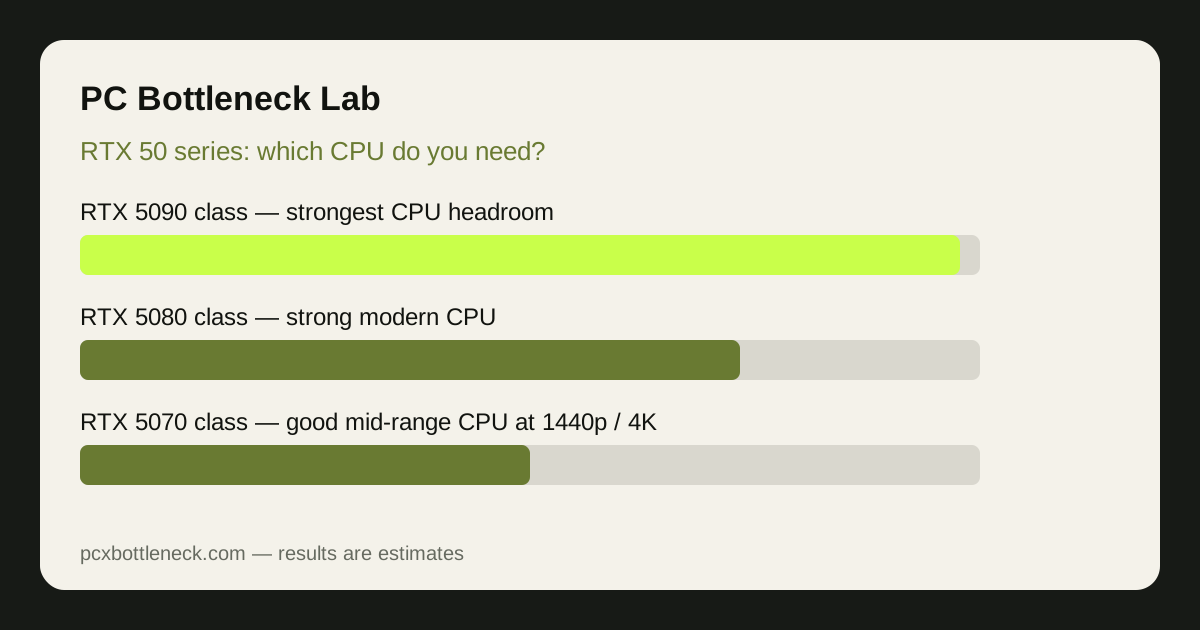
The 5090 is the flagship of the range, so it exposes a CPU limit faster than any other card here. At 1080p or at high refresh rates, even a good CPU can set the pace, because the GPU finishes each frame quickly and then waits for the next one. This card deserves the strongest gaming CPU headroom you can reasonably buy, such as the Ryzen 7 9800X3D or the Core i7-14700K.
At 4K the GPU has far more work per frame, so the CPU gets more breathing room. Even so, pairing a flagship GPU with an old or entry-level CPU wastes much of what you paid for, especially in esports or simulation games.
What changes with an RTX 5080?
A 5080 still needs a strong modern CPU, but the demand is a step below the flagship. A high-end gaming CPU with plenty of cores and strong single-core performance will keep a 5080 fed at 1440p high-refresh gaming.
The risk is a CPU several generations old: fine at 4K, yet behind at 1080p or 1440p at high frame rates. If you already own a decent recent CPU, check it in the PC bottleneck calculator before replacing it.
Is a mid-range CPU enough for an RTX 5070?
Yes, in most cases. The 5070 is a strong upper-mid-range card, and a good modern mid-range CPU is a sensible match, especially at 1440p and 4K. A current six-core gaming CPU such as the Ryzen 5 7600X or the Core i5-12400F gives it enough headroom there.
The exception is 1080p high-refresh gaming, where even a 5070 can wait on a weaker CPU, and an older budget chip such as the Ryzen 5 5600 may show its age sooner. Your upgrade path matters here, so a platform with a clear CPU upgrade route is worth more. See the RTX 5070 page for this card class at each resolution.
Why does resolution change the CPU you need?
Resolution changes how much work the GPU does per frame, while the CPU workload stays roughly similar. At 1080p the GPU finishes frames fast, so the CPU becomes the limit sooner; at 4K the GPU takes much longer per frame, so the CPU has time to keep up.
| GPU class | 1080p high-refresh | 1440p | 4K |
|---|---|---|---|
| RTX 5090 class | Strongest gaming CPU headroom | Strongest gaming CPU headroom | Strong modern CPU |
| RTX 5080 class | Strong modern CPU | Strong modern CPU | Good mid-range or better CPU |
| RTX 5070 class | Strong mid-range CPU | Good mid-range CPU | Good mid-range CPU |
Read the table as guidance, not a rule. Game type matters as much as resolution: esports titles at high refresh rates demand far more from the CPU than story-driven games at 4K, as explained in our guide to CPU bottlenecks in esports versus AAA games.
What about VRAM, refresh rate and game type?
VRAM and CPU demand are different limits, and confusing them leads to bad upgrades. A CPU bottleneck shows up as a frame rate that stops improving when you lower settings, while a VRAM limit more often shows up as stuttering at high resolutions. Higher card classes offer more VRAM headroom for 4K, but extra VRAM never fixes a CPU that cannot feed the GPU fast enough.
Refresh rate matters too. A 60Hz display caps how much CPU performance you can actually see, so a mid-range CPU may feel perfectly smooth there. A high-refresh display asks the CPU to prepare far more frames per second, and that is where CPU headroom pays off.
How do you check your own pairing before you buy?
Start with your planned pairing in the PC bottleneck calculator, and look at the result by resolution rather than as a single number. Then confirm it by monitoring, following our guide on how to check a CPU bottleneck: if GPU usage stays well below maximum while a CPU core is busy, the CPU is setting the pace; if GPU usage is near maximum, the GPU is the limit.
Also check the rest of the system: dual-channel RAM, a power supply with enough headroom, and cooling that lets the CPU hold its boost speeds. Any of them can mimic a CPU limit, so run the checks in our PC Guides hub first, and upgrade the part that limits your resolution and games.
Limitation: this guide gives range-based, qualitative guidance, not measured results for your PC. Game engine, settings, drivers, RAM, cooling and background tasks all move the outcome, so treat these pairings as estimates and confirm your own combination in the calculator.
Frequently asked questions
Do I need the fastest CPU available for an RTX 5090?
Not strictly, but the 5090 benefits most from flagship gaming CPU headroom, especially at 1080p and 1440p high-refresh gaming. At 4K a strong modern CPU is usually enough. Buy the fastest CPU you can justify if high-refresh gaming is your priority.
Will a mid-range CPU bottleneck an RTX 5080?
It can at 1080p high-refresh settings, where the CPU sets the pace in demanding games, but it is far less likely at 1440p and 4K. A recent, strong mid-range or better CPU is a sensible match for a 5080. Check your own pairing by resolution before deciding on a CPU upgrade.
Is a Ryzen 5 5600 enough for an RTX 5070?
For 1440p and 4K gaming it can be a workable pairing, though it is an older budget chip and will show its limits sooner at 1080p high refresh rates. If you already own one, test it first. If you are buying new, a current-generation mid-range CPU gives you a longer upgrade path.
Does 4K gaming really need a weaker CPU than 1080p?
Yes, in relative terms. At 4K the GPU takes much longer to render each frame, so the CPU has more time to keep up and is less likely to be the limit. At 1080p the GPU finishes frames quickly, so CPU speed matters more.
Should I upgrade my CPU or my GPU first for an RTX 50-series build?
Upgrade whichever part limits the games and resolution you actually play. If GPU usage is near maximum, buy the GPU first. If GPU usage stays low while a CPU core is busy, upgrade the CPU first. Running your planned pairing through the calculator by resolution will usually make the right order clear.