
How to read these pairings
Every pairing below is judged the same way: by resolution, by game type, and by which part waits for the other. A pairing is not simply good or bad. The same CPU and GPU can be CPU-limited at 1080p, balanced at 1440p and GPU-limited at 4K, because the GPU takes longer per frame at higher resolutions and gives the CPU more time. If you only remember one idea from this guide, remember that the resolution changes the answer.
This guide is written from the pairings readers search for most and from general bottleneck principles, not from any claim about this site's internal calculator logs. No monthly site data is quoted here, because this guide does not need it: the bottleneck pattern of each pairing can be explained from how its parts compare, and you can confirm it with your own monitoring test.
Four pairings, four different stories
| Pairing | 1080p pattern | 1440p pattern | 4K pattern |
|---|---|---|---|
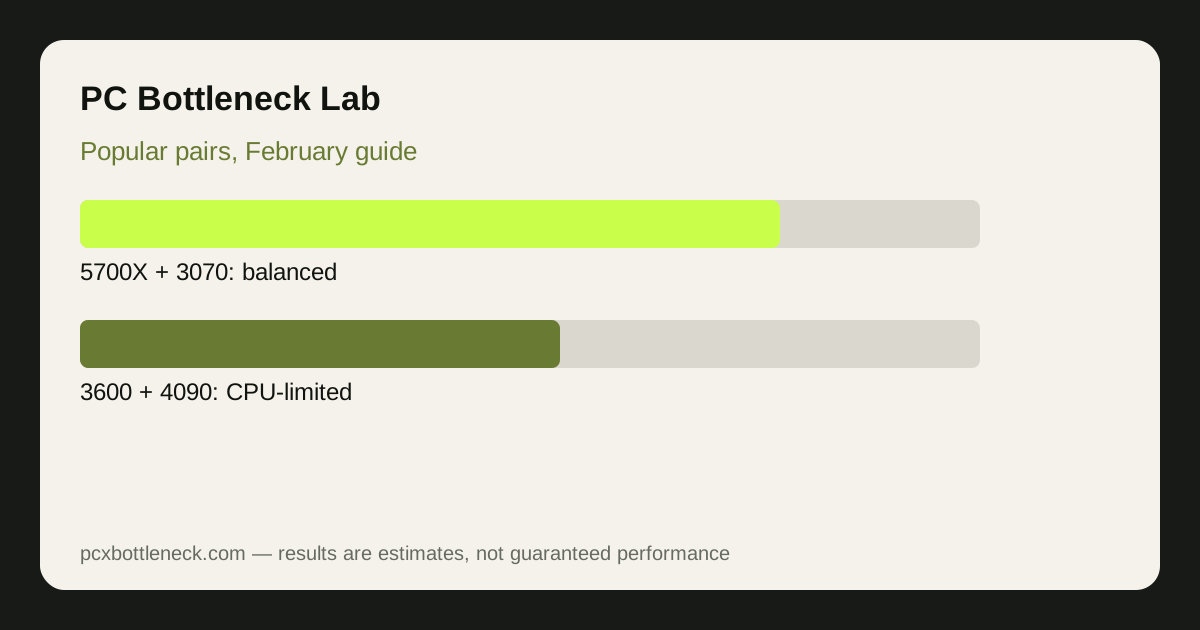
| Ryzen 7 5700X + RTX 3070 | Often balanced, CPU in esports | Usually GPU-limited | GPU-limited |
| Ryzen 5 3600 + RTX 4090 | Strongly CPU-limited | Often CPU-limited | GPU-limited in demanding AAA |
| Ryzen 5 3600 + RTX 2070 | Often balanced, older parts | GPU-limited, modest settings | GPU-limited, low settings |
| Ryzen 7 9800X3D + RTX 5070 | Balanced, CPU headroom | Balanced | GPU-limited |
The Ryzen 7 5700X bottleneck page and the RTX 3070 bottleneck page show how the first pairing behaves in detail, and the Ryzen 5 3600 bottleneck page explains why that older CPU struggles to feed a flagship card. Run your exact pairing in the PC bottleneck calculator for a resolution range rather than a single number.
The mismatch pairing, explained
Ryzen 5 3600 with RTX 4090 is the pairing that surprises people most, because it looks like a dream upgrade and behaves like a bottleneck lesson. At 1080p the CPU cannot prepare frames fast enough for the flagship GPU, so the GPU waits and its extra power goes unused. At 4K in demanding games the picture improves, because the GPU takes longer per frame, but the owner paid flagship money for a card that only stretches its legs in the most demanding settings.
That does not mean the pairing is useless. If you already own both parts, or you bought the card first with a CPU upgrade planned next, it can still play well, especially at 4K. The mistake is buying the flagship card expecting flagship performance at every resolution while keeping an older CPU. Upgrade the CPU first, or choose a card your CPU can feed, and the money works harder.
The balanced pairings, and what balanced means
Ryzen 7 5700X with RTX 3070 and Ryzen 5 3600 with RTX 2070 are balanced in a different sense: neither part dramatically outruns the other, so the limit moves with the game and resolution rather than sitting on one part permanently. That is a good place to be for an existing PC, because it means no single upgrade transforms everything, and it means settings tweaks still help. It is also a warning against overspending on one part alone.
Ryzen 7 9800X3D with RTX 5070 is balanced at a much higher level: a strong gaming CPU with headroom, paired with a current GPU that sets the pace in demanding games. That is the pattern a new build should aim for, and it is why the Ryzen 7 9800X3D bottleneck page is a useful reference. If you see CPU usage at 100% with low GPU usage, check that guide before you assume your pairing is the problem.
How to confirm your own pairing
Play your own games at your own resolution, watch GPU use, per-core CPU use and frame times, and run the resolution test: lower the resolution and see whether frame rate rises clearly. If it does, the GPU was the limit. If it barely moves, the CPU was setting the pace. That test, explained in the 10-minute CPU bottleneck check, is more useful than any single percentage, because it reflects your games, your settings and your system.
Limitation: the patterns above are general guidance for these pairings, not measured results for your system. Games, settings, memory, cooling and drivers all change the result, and no monthly site data is claimed here. Treat every pattern as a starting point to confirm with your own test.
Frequently asked questions
Is Ryzen 7 5700X with RTX 3070 a good pairing?
Generally yes, it is a balanced pairing for its level. It is often balanced at 1080p, GPU-limited at 1440p and 4K, and only CPU-limited in esports or simulation games at high refresh rates, where the CPU sets the pace. That balance makes it a sensible existing PC, though not a high-end new build.
Why is Ryzen 5 3600 with RTX 4090 a bad pairing?
Because the older CPU cannot prepare frames fast enough for a flagship GPU at 1080p or 1440p, so the GPU waits and its extra power goes unused. At 4K in demanding games the balance improves, but the pairing still wastes flagship money at lower resolutions. The card only stretches its legs in the most demanding settings at higher resolutions.
Is Ryzen 5 3600 with RTX 2070 still usable?
Yes, for modest settings. It is a balanced older pairing that handles 1080p well and 1440p at reduced settings, but it is not a high refresh or 4K pairing, and both parts are now several generations old. Upgrade decisions for this pairing are covered in the April pair guide.
What makes Ryzen 7 9800X3D with RTX 5070 balanced?
A strong gaming CPU with headroom, paired with a current GPU that sets the pace in demanding games. That pattern, CPU headroom plus a fully used GPU, is the healthy balance a new build should aim for. That pattern, CPU headroom plus a fully used GPU, is the healthy balance to aim for.
How do I check my own pairing's limit?
Run the resolution test in your own games: play at normal settings, then at lower resolution, and watch GPU use, per-core CPU use and frame rate. If frame rate rises clearly, the GPU was the limit; if it barely moves, the CPU was. That test reflects your games, settings and system better than any single percentage.