
What actually improves after this upgrade?
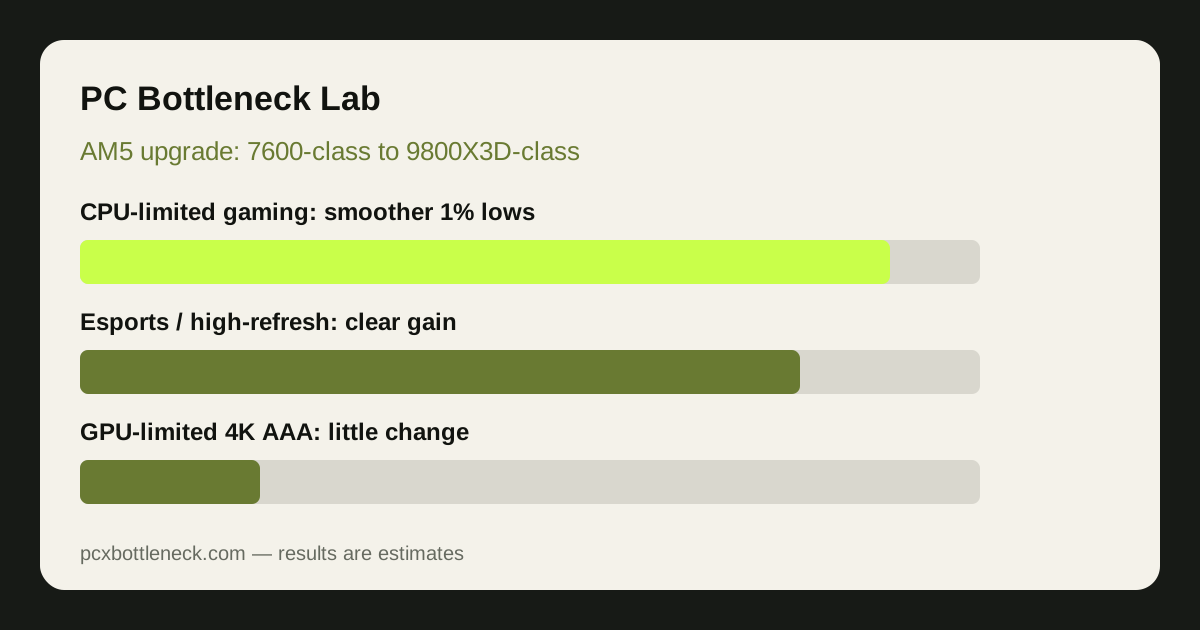
The biggest change is in games where the processor sets the pace: at 1080p, at high refresh rates, and in busy scenes with many characters or physics effects. A stronger gaming CPU can raise average frame rates and, more noticeably, smooth out the dips players feel as stutter. Those dips are described through 1% lows, the slowest one percent of frames. When 1% lows rise, motion feels steadier even if the headline average only moves modestly.
Esports titles are the clearest example, since competitive shooters at lowered settings are usually CPU-limited. Simulation and strategy games benefit too, where large maps and many units lean heavily on the processor. There is also extra headroom for streaming, voice chat or recording while gaming, so frame times stay steadier under background load.
What does not change?
A CPU upgrade cannot make your graphics card faster. In GPU-limited play — demanding AAA games at 1440p with high settings, and especially at 4K — the graphics card already sets the frame rate. Swapping the processor there usually produces little to no visible change, because the new CPU simply waits for the same GPU to finish each frame. If GPU usage already sits near maximum while gaming, expect a small gain.
The same applies to VRAM limits: if a game needs more video memory than your card offers, no CPU can fix the resulting stutter. A monitor caps what you can see too — a 60 Hz display cannot show more than 60 frames per second. Before spending, check the pattern first: how to check a CPU bottleneck in 10 minutes walks through the monitoring test, and CPU usage at 100% with low GPU usage separates a genuine limit from thermal and RAM causes.
Where should you expect a gain, and where should you not?
Expectations depend far more on your games, resolution and graphics card than on the two processor names alone. Treat every row as an estimate, not a promised result.
| Scenario | Expected change | Why |
|---|---|---|
| Esports, 1080p, high refresh | Large gain in smoothness and 1% lows | CPU-limited; GPU has headroom |
| Simulation or strategy games | Noticeable gain in busy scenes | Heavy CPU work |
| AAA games, 1440p, high settings | Modest gain, steadier frame times | Often balanced |
| AAA games, 4K, maximum settings | Little to no visible change | GPU-limited |
| Streaming or recording while gaming | Noticeable gain in consistency | Extra CPU headroom |
| VRAM limit or 60 Hz monitor | Little to no visible change | Limit sits elsewhere |
The practical test is simple. If lowering settings raises frame rate a lot, your GPU is the limit. If frame rate barely moves when settings drop, the CPU is holding you back. That is also why CPU bottlenecks in esports versus AAA games matter: the same pairing can be CPU-limited in one title and GPU-limited in another.
What should you check on your AM5 board first?
The appeal of this upgrade is that you keep your board and memory in most cases, since both processors use the AM5 socket. That does not mean every board is ready out of the box. Older boards may need a BIOS update before they recognise a newer processor, and that update must be installed while the old CPU is still fitted, because a board that cannot recognise the new chip may not boot far enough to update. Check your board maker's CPU support list and update before you swap.
Back up anything important first, and do not switch the machine off mid-update. After the swap, load sensible BIOS defaults, then re-enable your memory profile and any settings you changed before, one at a time. If the system fails to boot, the BIOS version is the first thing to suspect. For background on this processor class, read 3D V-Cache and the 7800X3D to 9800X3D story.
Cooler and RAM: what is worth checking?
Cooling is the check most upgraders skip, and it is the one most likely to waste a good processor. A cooler that was barely adequate before may let the new chip throttle under sustained load, which looks exactly like a disappointing upgrade. Confirm the cooler is rated for a gaming processor of this class, that its mounting matches AM5, and that contact is even. Fresh thermal paste on a reseat is cheap insurance, and a temperature check under load afterwards confirms the cooler is coping.
Memory matters almost as much. AM5 uses DDR5, so your existing kit should carry over, but check that it runs in dual-channel mode — two matched sticks in the slots your board manual recommends — with its rated profile enabled in the BIOS. Single-channel memory can hold back frame rates and mask the benefit of a faster CPU. Before you buy, run your pairing through the PC bottleneck calculator and compare the Ryzen 7 9800X3D bottleneck page with the Ryzen 5 7600X bottleneck page at your resolution.
Who should upgrade, and who should wait?
Upgrade if you play CPU-limited games at 1080p or high refresh rates, if 1% lows and stutter bother you more than average frame rate, or if you stream or record while gaming and feel the current CPU strain. Upgrade too if you already own a strong graphics card — for example a pairing around the RTX 5070 bottleneck page — and monitoring shows the GPU waiting on the CPU. The in-socket swap is good value there because it avoids a new board and new memory.
Wait if you mainly play GPU-limited AAA games at 4K, if your monitor is 60 Hz, or if your graphics card is the clear limit. In those cases a GPU or monitor upgrade, or waiting for a bigger generational step, will change what you see more than a new CPU. Also wait if cooling or power headroom is already tight — fix those first. When in doubt, check PC Guides and Blog, test your own games, and let the numbers decide.
Limitation: this guide describes typical patterns as estimates, not measured results for your PC. Gains vary with game, resolution, settings, graphics card, memory, cooling and drivers. Re-test with the same monitoring steps after any upgrade to confirm what actually changed.
Frequently asked questions
Do I need a new motherboard to go from a 7600-class CPU to a 9800X3D-class CPU?
No, in most cases you do not. Both processors use the AM5 socket, so the same board and DDR5 memory usually carry over. The key exception is BIOS support: check your board maker's CPU support list and install any required BIOS update while the old CPU is still fitted.
Will a 9800X3D-class CPU improve 4K AAA gaming?
Usually only a little, if at all. Demanding AAA games at 4K are normally GPU-limited, so the graphics card sets the frame rate and a faster CPU mostly waits for it. Expect steadier frame times at best, and put upgrade money towards the GPU first if 4K is your main use.
Why do 1% lows matter more than average frame rate here?
Average frame rate hides brief dips, while 1% lows describe the slowest frames that players notice as stutter. A CPU upgrade often lifts those lows more than the average, so motion feels smoother and more consistent even when the headline number moves only modestly.
Can I reuse my cooler and RAM for this upgrade?
Usually yes, with checks. Confirm the cooler mounts to AM5 and handles a gaming processor of this class, refresh thermal paste on reseat, and check temperatures under load afterwards. Keep DDR5 memory in dual-channel mode with its rated profile enabled in the BIOS.
Should I upgrade the CPU or the GPU first?
It depends on which part limits your games. If lowering settings barely raises frame rate, the CPU is likely the limit and this upgrade makes sense. If lowering settings raises frame rate a lot, the GPU is the limit, so upgrade that first instead.