
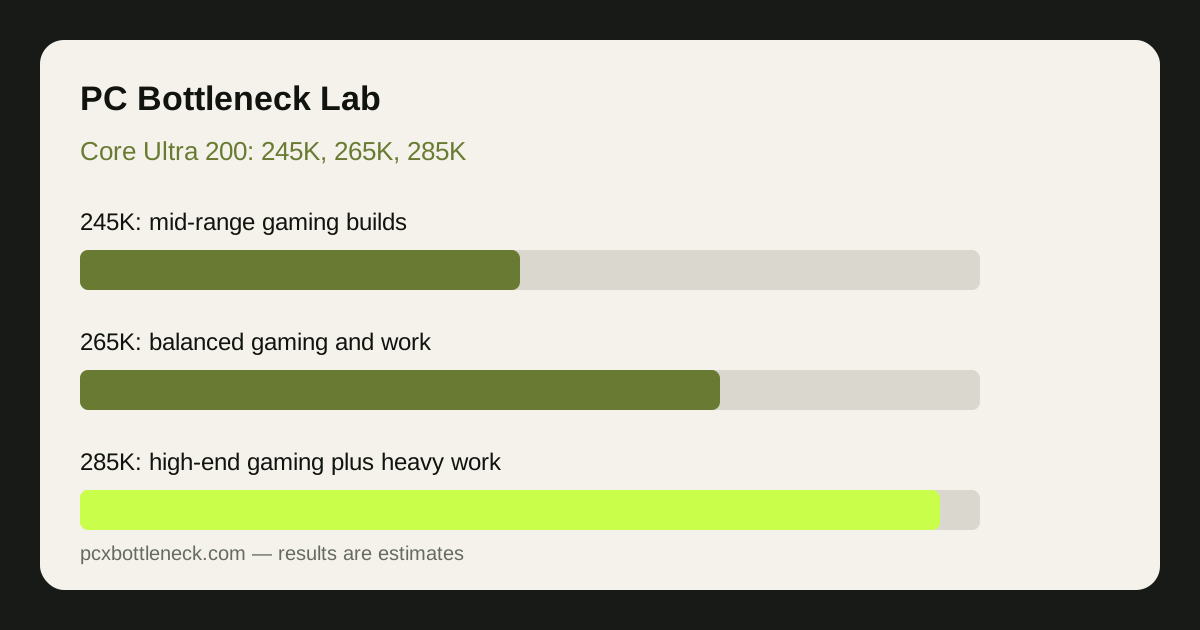
How do the 245K, 265K and 285K differ?
All three chips share the same generation, so the differences are about scale rather than a new architecture at each step. The 245K is the entry point for builders who want current-generation performance without paying for unused headroom. The 265K adds headroom for demanding games and mixed gaming and work. The 285K adds the most headroom, which matters most for heavy work and the most demanding gaming setups.
| Chip | Best for | Gaming note |
|---|---|---|
| Core Ultra 5 245K | Mid-range gaming builds | Strong at 1440p, can limit flagship GPUs at 1080p |
| Core Ultra 7 265K | Balanced gaming and work | Comfortable with upper mid-range and high-end GPUs |
| Core Ultra 9 285K | High-end gaming plus heavy work | Best in the range for games, but the gain over the 265K is modest |
Check the individual pages — Core Ultra 5 245K bottleneck, Core Ultra 7 265K bottleneck and Core Ultra 9 285K bottleneck — and run your pairing in the PC bottleneck calculator at your resolution.
Gaming versus work: where does each chip win?
In gaming, the three chips are closer than their tiers suggest. Most games are limited by a few busy cores and by memory behaviour, not by total CPU headroom, so extra headroom beyond a certain point buys little extra frame rate. The 285K does lead in the most CPU-demanding games, but for story-driven games at 1440p or 4K the three chips often land close together, because the GPU is the limit.
In work, the gaps widen. Rendering, video editing, compiling and other heavily parallel tasks use the extra headroom directly, so the 265K pulls ahead of the 245K and the 285K pulls ahead again. If your PC is purely for games, the money saved by stepping down a tier is often better spent on the GPU.
Game type matters too. As our guide to CPU bottlenecks in esports versus AAA games shows, competitive and simulation games reward CPU strength far more than story-driven games do.
Which GPU should each Core Ultra 200 chip pair with?
Balance the chip against the GPU at your resolution. A flagship GPU next to an entry chip wastes GPU power at 1080p, while a top chip next to a modest GPU wastes CPU power at every resolution.
| Chip | Comfortable GPU pairing | Estimated gap with a flagship GPU at 1080p |
|---|---|---|
| 245K | Mid-range GPUs | Noticeable, roughly 15–30% in CPU-heavy scenes |
| 265K | Upper mid-range to high-end GPUs | Moderate, roughly 10–20% in CPU-heavy scenes |
| 285K | High-end and flagship GPUs | Smallest in the range, but not zero |
These are estimate ranges for CPU-heavy scenes, not measured results, and they shrink sharply at 1440p and again at 4K. A 245K paired with a strong GPU at 4K is a reasonable combination, even though the same pairing at 1080p is clearly CPU-limited. Judge the pairing at the resolution you play, and use how to check a CPU bottleneck to confirm the pattern on your own PC rather than trusting a generic label.
What platform factors affect a Core Ultra 200 build?
A Core Ultra 200 build is a whole platform, not just a chip, and three supporting choices can each look like a CPU bottleneck if they are wrong. First, cooling: a chip that throttles under sustained load behaves like a slower chip. Second, RAM: fast dual-channel RAM matters for this generation, and single-channel RAM can flatten frame rates in a way that is easy to mistake for a CPU limit. Third, power: a strong CPU and GPU together need a power supply with comfortable headroom, or peak loads can cause throttling and instability.
Before upgrading a chip in this range, check those three factors and close background software, as described in how we calculate bottlenecks and the PC Guides hub. If monitoring shows high CPU usage with low GPU usage, heat, RAM or background load should be ruled out first.
Platform cost matters too. If a new motherboard and RAM force a weaker GPU, keeping a capable older CPU and buying the better GPU is often the better gaming trade.
Which Core Ultra 200 chip should you buy?
Buy the 245K for a mid-range gaming build where the GPU budget matters most, the 265K for a balanced PC that mixes gaming with work, and the 285K only when you genuinely need top-end gaming and heavy work in one machine. For pure gaming with a high-end GPU, compare the 285K carefully against leading gaming-focused rivals before paying the premium.
Whatever you choose, verify the pairing in the calculator. The right chip is the one that leaves your GPU free to work at your resolution, without paying for headroom your games and work will never use.
Limitation: this comparison is qualitative, with estimate ranges labelled as estimates, not benchmark measurements for your games, drivers and settings. Game engines, patches, RAM, cooling and background software all shift where each chip limits a GPU. Confirm with monitoring on your own PC before buying.
Frequently asked questions
Is the Core Ultra 5 245K good for gaming?
Yes, for mid-range gaming builds at 1080p and 1440p, the 245K is a solid gaming chip. It can limit flagship GPUs at 1080p or high refresh rates, where the 265K or 285K is a better match for the GPU. Choose the higher tier if you plan a flagship GPU upgrade soon.
Is the 285K worth it over the 265K for gaming?
For pure gaming, usually only marginally. The 285K leads in the most demanding games, but the gain over the 265K is often modest, especially at 1440p and 4K where the GPU limits performance. It earns its premium mainly in heavy work.
Will a Core Ultra 200 chip bottleneck a flagship GPU?
It can at 1080p, particularly the 245K in CPU-heavy games, but the effect shrinks at 1440p and is usually small at 4K. The 285K limits a flagship GPU least in the range, though no current chip removes the limit entirely.
Do Core Ultra 200 chips need special cooling?
They benefit from capable cooling that holds up under sustained load, especially the higher tiers. A chip that throttles under load behaves like a slower chip, so check temperatures under load before judging a pairing as CPU-limited. Good airflow and a capable cooler are worth budgeting for from the start.
Should I upgrade from an older Intel CPU to Core Ultra 200?
Upgrade if monitoring shows a CPU limit in your most-played games and your current chip is several generations old. If you play at 4K or your GPU is already the limit, the gain may be small, so confirm the pattern first.